WilliamLam.com

  • About
    • About
    • Privacy
  • VMware Cloud Foundation
    • VMware Cloud Foundation 9.1
    • VMware Cloud Foundation 9.0
  • VKS
  • Homelab
    • Hardware Options
    • Hardware Reviews
    • Lab Deployment Scripts
    • Nested Virtualization
    • Homelab Podcasts
  • VMware Nostalgia
  • Apple

Search Results for: Intel NUC

Heads Up - 24GB & 48GB DDR5 SODIMM memory now available

02.21.2023 by William Lam // 2 Comments

For small or ultra small form factor (SFF/USFF) systems like the popular Intel NUC, SODIMM (Small-Outline Dual Inline Memory Module) memory is commonly used, which has been limited to a maximum of 64GB (2 x 32GB module) memory since 2019, which I had first shared that the Intel NUC could used the new 32GB modules. While 64GB might have been plentiful back in 2019, it certainly no longer cuts it, especially for any serious VMware Homelab.

Like many, I assumed the SODIMM format has simply hit its limit and with the new proposed CAMM standard looking to replace SODIMM format in the near future, I was honestly not expecting that we could reach higher density modules for SODIMM.

UPDATE (05/18/23) - Officially confirmed Mushkin 48GB DDR5 SODIMM works with DDR5 compatible system with ESXi

UPDATE (05/10/23) - Mushkin has released 48GB modules for three different frequencies (5600, 5200 & 4800 Mhz). For more details, please see below with initial pricing of $349 USD

UPDATE (02/21/23) - Apologies, it looks like Corsair has only released the Desktop memory and NOT Laptop memory (SODIMM) for the new DDR5 capacity modules. I assume those will come shortly, but these are currently only for desktop systems.

Fast forward to 2023, news broke that a new 24GB and 48GB DDR5 SODIMM modules were in the works and today, they just started showing up online for purchase! Currently, only the Corsair Vengeance Desktop (non-SODIMM) with heatsinks are available:

Desktop Memory:

  • Corsair Vengeance 48GB (2 x 24GB) listed on Amazon for $184 USD
  • Corsair Vengeance 96GB (2 x 48GB) listed on Amazon for $379 USD

Laptop Memory (SO-DIMM):

  • Corsair 24GB module CT24G56C46S5 - TBD
  • Corsair 48GB module CT48G56C46S5 - TBD
  • Mushkin 96GB 5600Mhz (2 x 48GB) MRA5S560LKKD48GX2 listed on Ebay for $349
  • Mushkin 96GB 5200Mhz (2 x 48GB) MRA5S520HHHD48GX2 listed on Ebay for $339
  • Mushkin 96GB 4800Mhz (2 x 48GB) MRA5S480FGGD48GX2 list on Ebay for $324

This is great news for homelabbers, but before you rush out and make a purchase. These new memory modules are only for DDR5 and there are currently not many SFF/USFF kits that actually support DDR5 and might benefit those in the near term with DIY system. In addition, to get the full benefit, you will also need a system that can support DDR5 5200MHz. 

?? 24GB & 48GB DDR5 SO-DIMM modules now available from @CORSAIR ?? Great #homelab upgrade ... now just need kits that support DDR5 or if you're DIY'ing

? 48GB (2x24GB) is $184 USD - https://t.co/9BU9m7F8rb

? 95GB (2x48GB) is $379 USD - https://t.co/ZBV7BaQctv pic.twitter.com/33xpkJ1Q9q

— William Lam (@lamw.bsky.social | @*protected email*) (@lamw) February 21, 2023
Categories // Home Lab Tags // DDR5, homelab

How to bootstrap ESXi compute only node and connect to vSAN HCI Mesh?

01.31.2023 by William Lam // Leave a Comment

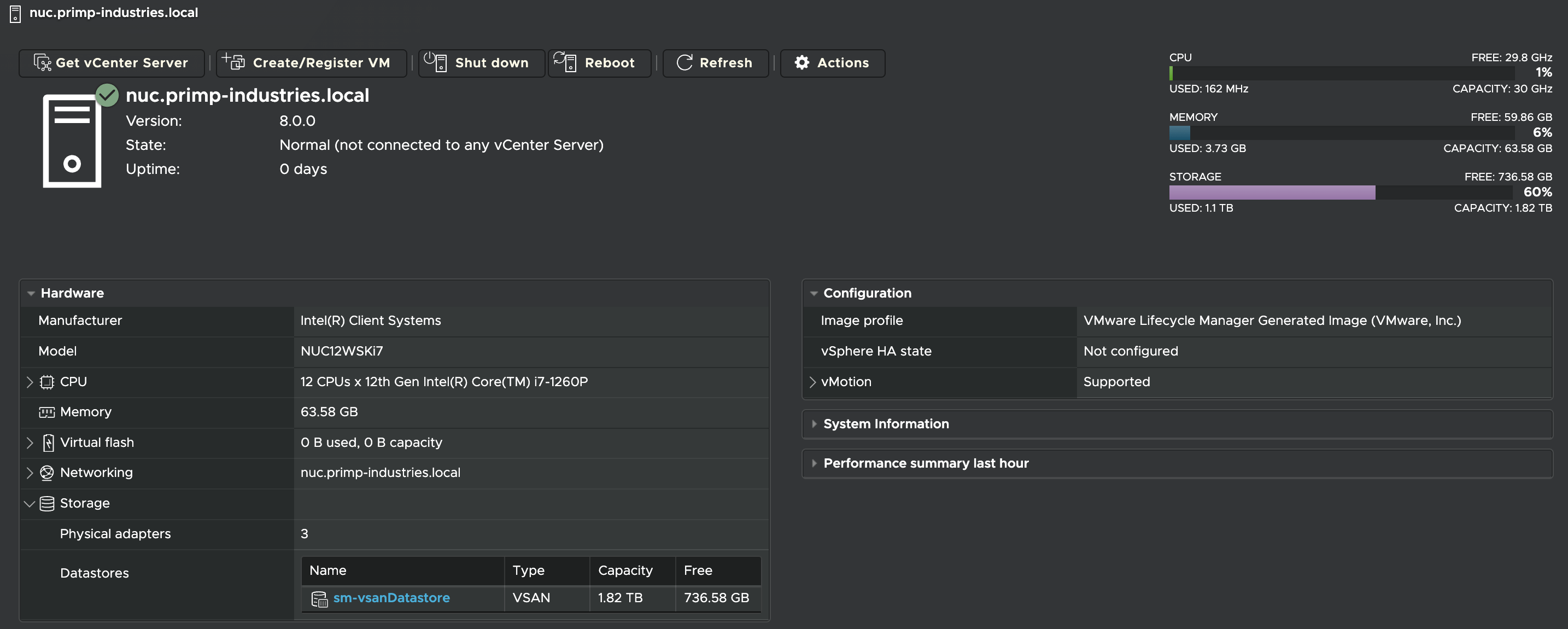
After documenting the process for bootstrapping vSAN Express Storage Architecture (ESA) using my Intel NUC 12 Pro, I was looking for an easier way to share my physical vSAN storage, which is powered by a single Supermicro E200-8D, to other physical ESXi hosts for testing purposes.

I had recently been playing with the vSAN HCI Mesh feature, which was launched back in 2020, as I was running out of spare NVMe devices when needing to test different physical hardware kits. While my use case for the storage is typically short lived, it means I do not have to play musical chairs with the limited number of NVMe devices I have installed in the various kits I have.

The vSphere UI in vCenter Server already provides a very simple workflow to mount a remote vSAN storage on an ESXi compute-only node, but I was also looking at this from a bootstrapping point of view and what if vCenter Server was not deployed or even available? Could I still make this work? After a bit of trial and error, I was able to figure out this can be accomplished by using a series of ESXCLI commands!

[Read more...]

Categories // ESXi, Home Lab, VSAN, vSphere 7.0, vSphere 8.0 Tags // Express Storage Architecture, HCI Mesh, VSAN, VSAN 8

How to bootstrap vSAN Express Storage Architecture (ESA) on unsupported hardware?

01.19.2023 by William Lam // 2 Comments

I was recently chatting with a fellow colleague who asked an interesting question about the memory overhead between running vSAN Original Storage Architecture (OSA) versus the new vSAN Express Storage Architecture (ESA) from a VMware Homelab perspective. I honestly did not know the answer as I am only using vSAN OSA for my personal homelab. I was curious myself, especially its implicationn on small form factor (SFF) systems which typically max at out 64GB of memory.

Today, vSAN ESA is only officially supported when using vSAN ESA Ready Nodes which are all listed in the vSAN ESA HCL and the minimum amount of memory is 512GB. For the best possible experience and supported configurations, customers should only use approved vSAN ESA hardware and the use of any other systems will not yield the same benefits nor outcomes. As an aside, a fantastic resource for all things vSAN ESA can be found on the vSAN ESA TechZone page, which I highly recommend bookmarking as there is a lot of in-depth technical resources and collateral.

Disclaimer: This is not officially supported by VMware and is purely for educational purposes, use at your own risk.

[Read more...]

Categories // ESXi, Not Supported, VSAN, vSphere 8.0 Tags // ESXi 8.0, Express Storage Architecture, VSAN 8, vSphere 8.0

  • « Previous Page
  • 1
  • …
  • 22
  • 23
  • 24
  • 25
  • 26
  • …
  • 44
  • Next Page »

Search

Thank Author

Author

William is Distinguished Platform Engineering Architect in the VMware Cloud Foundation (VCF) Division at Broadcom. His primary focus is helping customers and partners build, run and operate a modern Private Cloud using the VMware Cloud Foundation (VCF) platform.

Connect

  • Bluesky
  • Email
  • GitHub
  • LinkedIn
  • Reddit
  • RSS
  • Twitter
  • Vimeo

Recent

  • VCF 9.1 - Configuring Harbor to use VCF Identity Broker (IDB) for External Identity Federation 08/19/2026
  • Quick Tip: The Fastest Way to Clear Partitions for ESX Reinstallation 08/15/2026
  • Quick Tip: Reducing High CPU Utilization in VCF Automation (VCFA) on AMD Zen4/Zen5 CPUs 08/12/2026
  • VCF 9.1 - Quick Tip: Optimized Workflow for Configuring Distributed Transit Gateway (DTGW) with NSX Virtual Network Appliance (VNA) 08/11/2026
  • Quick Tip: Selective ESX Host Patching in VCF 9.1 08/10/2026
Privacy & Cookies: This site uses cookies. By continuing to use this website, you agree to their use.

To find out more, including how to control cookies, see here: Cookie Policy

Copyright WilliamLam.com © 2026

Loading Comments...