When it comes to VMware Cloud Foundation (VCF) capabilities such as the new unified Fleet Management, it is important to distinguish between the deployment type and the deployment entitlement.
Deployment Type
Deployment Entitlement
- VVF
- VCF
Although related, these are two distinct concepts, and conflating them can lead to confusion about which capabilities are available in a given deployment.

To add to the confusion, the VMware vSphere Foundation (VVF) deployment type includes a non-VCF Installer deployment workflow, officially referred to as VVF without VCF Management Services. This workflow deploys the standalone VVF components, including vCenter Server, ESX, VCF Operations, and VCF License Server, rather than a VCF Management Services-based deployment. As a result, capabilities such as Log Management, which rely on VCF Management Services, are not available in this deployment model.
Customers have the flexibility to choose the deployment type that best meets the requirements of a given environment, independent of their VVF or VCF entitlement. While this flexibility is intentional, it can also lead to questions about where core management capabilities, such as password, certificate, and backup management, are exposed.
In the context of password, certificate, and backup management, the table below summarizes where these capabilities are exposed based on the deployment type and entitlement.
| Deployment Type | Entitlement Type | Pass/Cert/Backup Interface |
|---|---|---|
| VVF without VCFMS | VVF | Standalone Component UI/API |
| VVF with VCFMS | VVF | VCF Ops Component API |
| VVF without VCFMS | VCF | Standalone Component UI/API |
| VVF with VCFMS | VCF | VCF Ops Fleet Mgmt UI/API |
| VCF with VCFMS | VCF | VCF Ops Fleet Mgmt UI/API |
As shown in the table above, users with a VVF with VCFMS deployment and a VCF entitlement can access the Fleet Management capabilities in VCF Operations using both the UI and API, just like users with a VCF deployment. For those interested in using the Fleet Management APIs:
- VCF Operations Certificate Fleet Management API
- VCF Operations Password Fleet Management API
- VCF Operations Backup/Restore Fleet Management API (reference example implementation)
For VVF without VCFMS deployments, you will use the standalone component UI or APIs
- ESX
- vCenter
- VCF Operations
The only special case to consider is the VVF with VCFMS deployment, which does provide several VCF Operations APIs for managing the VCFMS component including Log Management.
- VCF Operations Component Password Management API is used to manage the credentials for both the vmware-system-user and admin[at]vsp[dot]local accounts that is used for VCFMS
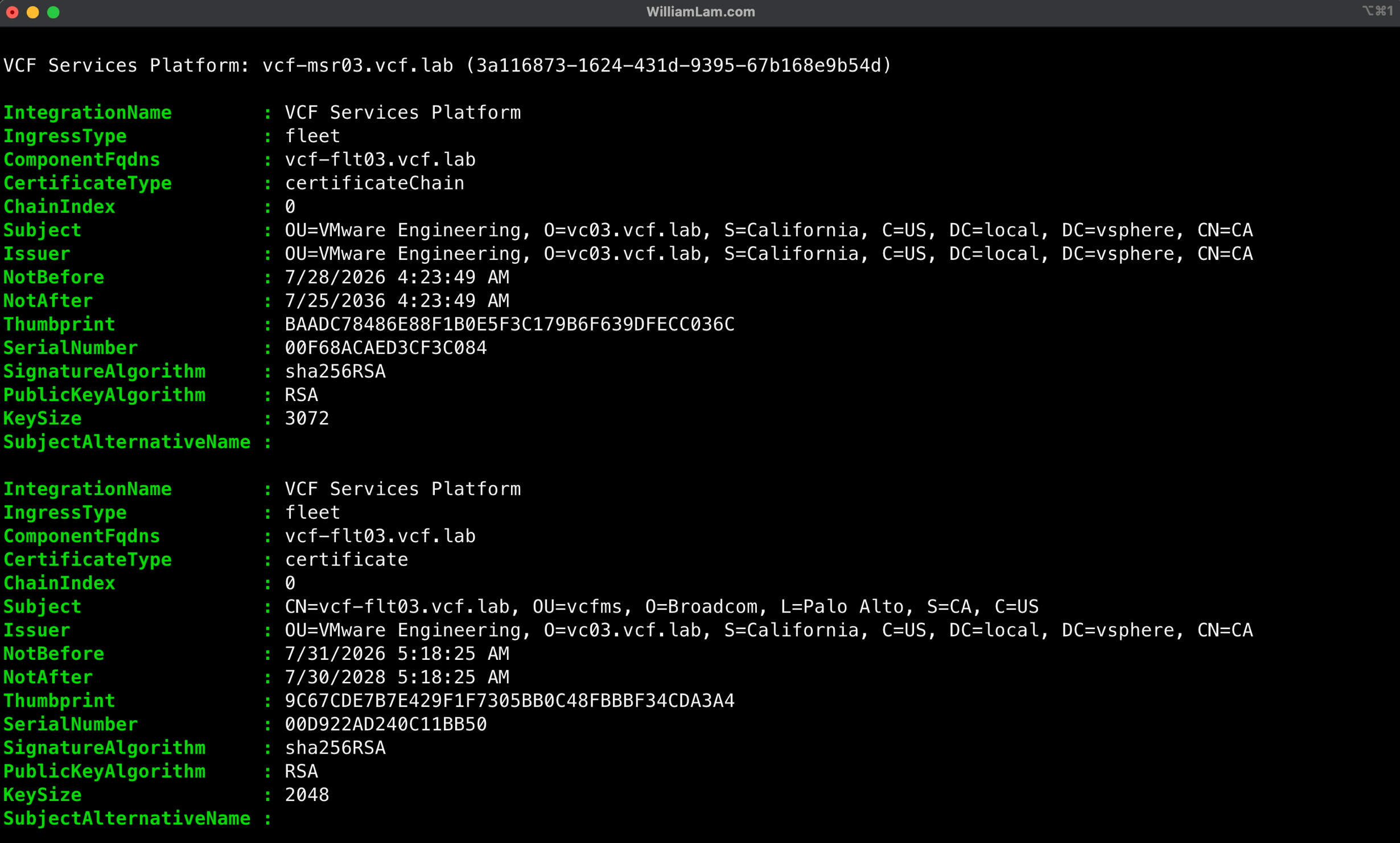
- VCF Operations Component Certificate Management API is used to manage the TLS certificates provisioned for the various FQDNs for VCFMS
- VCF Operations Fleet Backup/Restore API is used to manage backups for VCFMS (reference example implementation)
Here are two PowerShell examples of using the GET Component Password/Certificate Management API:
The list-vvf-vcfms-component-accounts.ps1 example script will list all VCFMS component accounts and their current password expiry:

The list-vvf-vcfms-component-certificate.ps1 example script will list all VCFMS component TLS certiticates:
Thanks for the comment!