I recently came across an issue while syncing the VCF Consumption CLI plugins, it would always show the following attempting to fetch 9.0.1 plugin even though my VMware Cloud Foundation (VCF environment was already at 9.1.
> vcf plugin sync

[i] The vcf cli essential plugins have not been installed and are being installed now. The install may take a few seconds.
[i] Installing plugins from plugin group 'vmware-vcfcli/essentials:v9.0.1'
[x] Failed to install plugin 'telemetry:v9.0.1'
[!] unable to install plugin 'telemetry': unable to fetch the plugin metadata for plugin "telemetry": unable fetch plugin binary: Collecting images: GET https://projects.packages.broadcom.com/v2/vcf/vcf-cli-plugins/ga/vmware/vcfcli/darwin/amd64/telemetry/manifests/v9.0.1: MANIFEST_UNKNOWN: The named manifest is not known to the registry.; map[manifest:vcf/vcf-cli-plugins/ga/vmware/vcfcli/darwin/amd64/telemetry]

[!] No active contexts available to perform plugin sync
After reaching out to Engineering, I came to learn that the behavior of the VCF Consumption CLI in 9.1 has changed and no longer pulls from the Broadcom public repository. Users can either download the VCF Consumption Plugins and relocate the OCI images into their own container registry or for an air-gapped environment, the plugins can also be installed locally.
I opted for second option for simplicity sake even though I do have Harbor Container Registry running.
Step 1 - Download the latest VCF Consumption CLI and Plugins from Broadcom Support Portal (BSP)
- My Downloads->VMware Cloud Foundation->9.1.0.0->VCF Consumption CLI
- My Downloads->VMware Cloud Foundation->9.1.0.0->VCF Consumption CLI Plugins
Step 2 - Clean up the VCF Consumption CLI directories, this is required to remove the old plugin source
rm -rf ~/.local/vcf
rm -rf ~/.local/vcf-cli-telemetry
Step 3 - Create a directory for the extracted VCF Consumption CLI Plugins
mkdir -p VCF-Consumption-CLI-Plugins-9.1.0.0
tar -zxvf VCF-Consumption-CLI-PluginBundle-Darwin_AMD64-9.1.0.0.25305443.tar.gz -C VCF-Consumption-CLI-Plugins-9.1.0.0
Step 4 - Install the VCF Consumption CLI Plugins
vcf plugin install all --local-source VCF-Consumption-CLI-Plugins-9.1.0.0
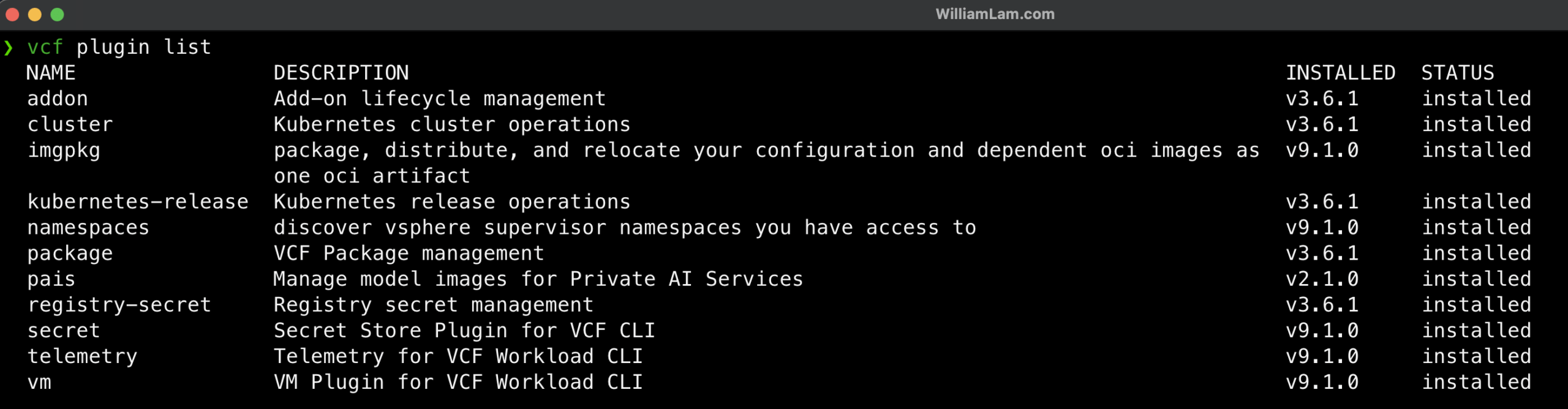
Step 5 - Confirm VCF Consumption CLI Plugins have been installed
vcf plugin list
In my case I had to delete the following directories, `~/.cache/vcf/`, `~/.cache/vcf-telemetry/`, and `~/.config/vcf/`.