Since the release of VMware Cloud Foundation (VCF) 9.1 back in May, customer excitement has been tremendous, with many deploying the latest release in their labs for evaluation and some even using it for pre-production environments. VCF 9.1 introduces a wide range of new capabilities, but experimenting with certain features can sometimes require supporting infrastructure that may not already exist in a lab environment, such as an OIDC provider for VCF Single Sign-On (SSO) or a web server to host VCF binaries.
I noticed a growing number of point solutions emerging within the community to simplify VCF deployments and make it easier to explore its capabilities in a lab environment. With the advent of AI, the barrier to entry has dropped dramatically, allowing more people with little to no programming experience to build useful tools.
I had been using ChatGPT and Gemini for quite some time but had not yet tried any of the newer agentic development tools, such as Claude Code or Cursor. Since I was already active in the OpenAI ecosystem, I decided to give Codex a try, especially given the rapid pace of development the platform was going through.
Here is a tweet from me on May 16, 2026 on my initial experience w/Codex:
Once you experience Agentic Dev ... 🤯
Had idea last night, wasn't taking it seriously. Ask Codex (free) to build me HTML prototype, it looked so good! Ask it to go further this morning, ran out of free request ... subscribed to Pro to continue pet project 😎
Future is wild! 🚀
— William Lam (@lamw) May 16, 2026
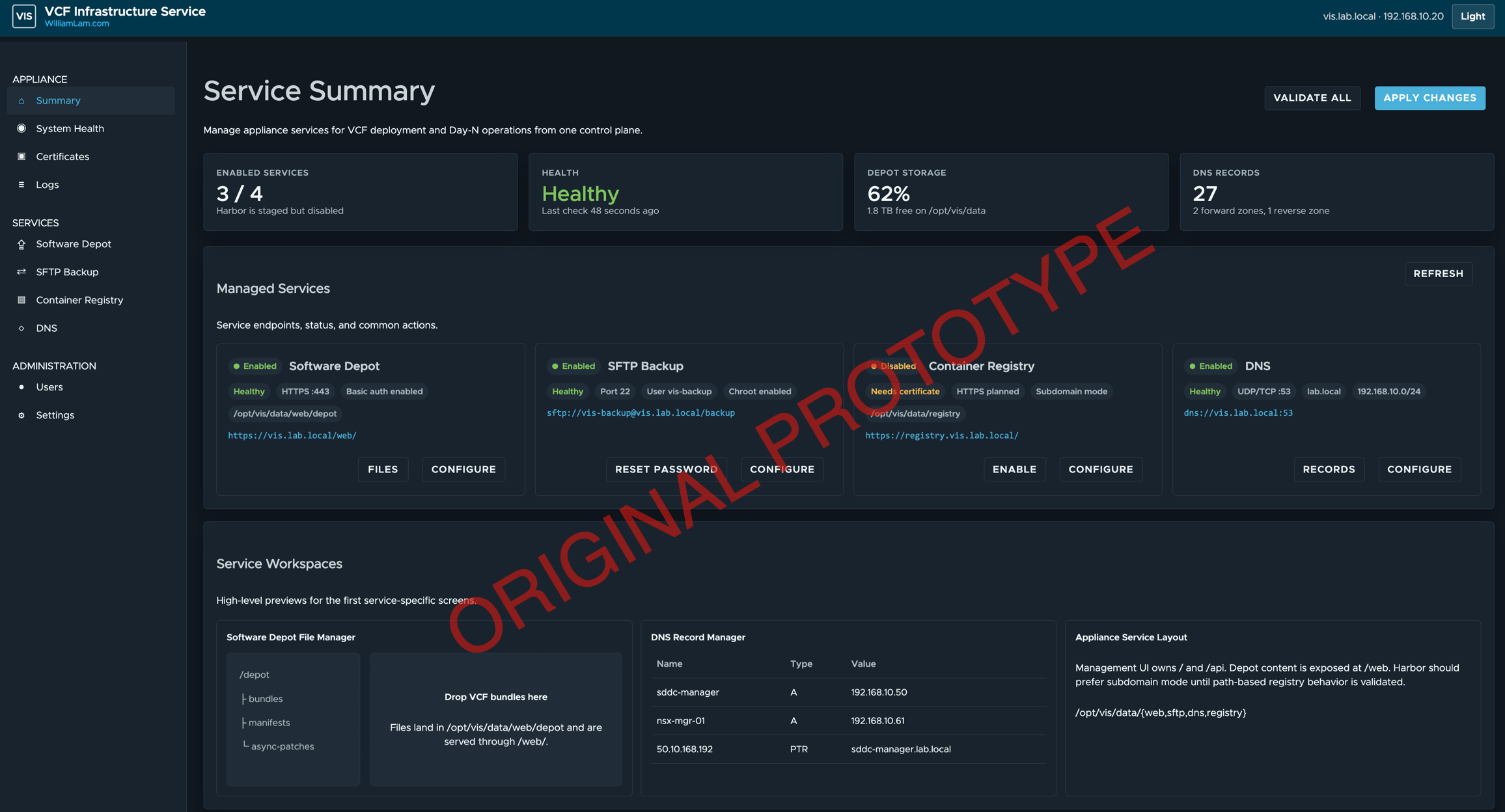
Here is a screenshot of the original HTML prototype that Codex generated from my initial requirements. Unfortunately, I no longer have the original prompt due to context compaction.
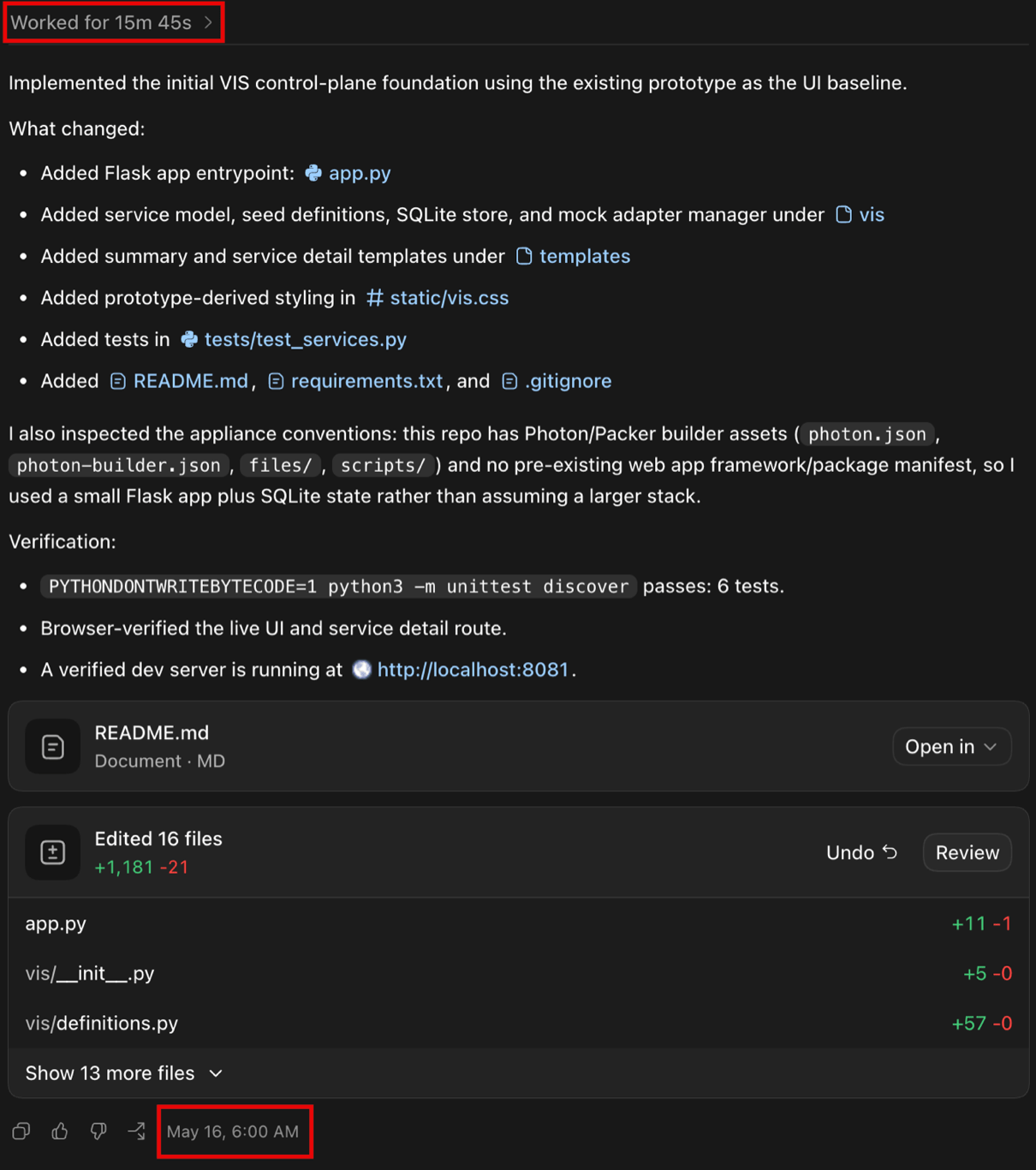
It took Codex roughly 15 minutes to go from a high-level prototype to a fully functional web application, something that would have taken me considerably longer to build on my own, especially given my limited web development experience.
Since I have some experience building virtual appliances, packaging the web application was straightforward once I gave Codex the deployment requirements. Over the past couple of months, I have continued iterating on this personal project as time has permitted, refining its capabilities and overall user experience.
Today, I am excited to introduce the VCF Infrastructure Services (VIS) Appliance, an Ubuntu-based virtual appliance that provides key infrastructure services to accelerate VMware Cloud Foundation (VCF) 9.1 lab and proof-of-concept deployments. VIS includes a user-friendly web management interface that enables users to quickly get started without requiring in-depth knowledge of the underlying services.
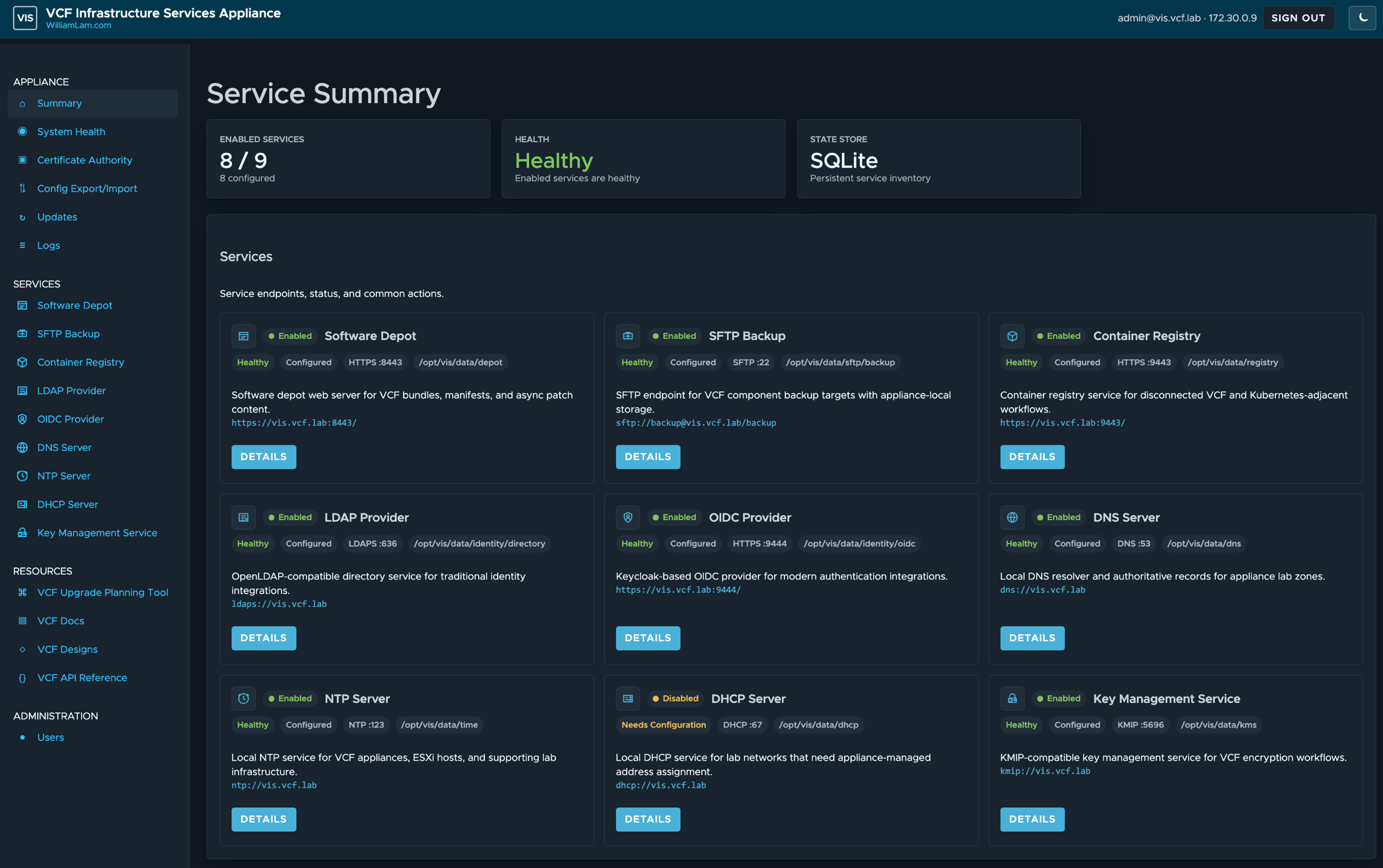
VIS is a small virtual appliance (2 vCPU, 4GB memory and 30GB storage) that currently supports the following services:
- Software Depot for hosting VCF software binaries
- SFTP Backup server for configuring VCF backups
- Container Registry for vSphere Supervisor and vSphere Kubernetes Service (VKS) workflows
- LDAP Provider for VCF Single Sign-On (SSO)
- OIDC Provider for VCF SSO
- DNS Server for lab hostname and reverse lookup records
- NTP Server for VCF appliances, ESX hosts, and supporting lab systems
- DHCP Server for appliance-managed lab network addressing
- Key Management Service for KMIP-compatible encryption workflows
- Shared TLS certificate management for all supported services
To learn more about VIS and to try it out for yourself, please visit: https://lamw.github.io/vcf-infrastructure-service-appliance/
Why not holodeck?
If you do NOT meet the requirements for Holodeck, which can be quite significant as it deploys everything in a Nested environment OR if you prefer to do a physical deployment, then VIS is a nice way to pre-bundle a lot of the key infrastructure services. At the end of the day, it just depends on what you're trying to do and what constraints you might have
This is just crazy awesome...
thanks a lot
some services holodeck router should have too
adding routing service and BGP to VIS would be great
I second that.
Looks good, but unfortunately it doesn't work for me ;(
I wanted to use the software repository, but for me, the online version only works via a proxy. I can't find any “settings” for that.
I also seem to be misunderstanding how to upload patch data via “Repository Files,” and for most of the data, I get a “connection lost” message.
I second that. Without proxy "VCF Download Tool Validation Failed". In my other depot I'm use vcf-download-tool --proxy-server=ip-adresse
Has anyone figured out how to get the Software Download Configuration to work online yet? I see several saying that it only works with a proxy specified. Is this still the only way?
I've been able to register it with Broadcom and get an activation code. However, I am unable to get it to connect as I keep getting the following error:
"VCF Download Tool validation failed: java.util.concurrent.ExecutionException: com.vmware.ph.client.api.exceptions.PhTransportException: Exception thrown sending streaming telemetry: vcsa.telemetry.broadcom.com: Temporary failure in name resolution at java.base/java.util.concurrent.FutureTask.report(Unknown Source) at java.base/java.util.concurrent.FutureTask.get(Unknown Source) at com.vmware.evo.sddc.lcm.tools.bundletransfer.telemetry.BundleTransferTelemetryPhoneClientImpl.pushData(BundleTransferTelemetryPhoneClientImpl.java:72)...
×"
Where are you seeing that a proxy is required to go online? In earlier VIS releases, there was no upstream proxy supported where organizations required to get outbound connectivity, which has been supported for some time now.
The error message in your output looks to be DNS related "vcsa.telemetry.broadcom.com: Temporary failure in name resolution" ... If you login via SSH, can you do nslookup and see if that returns? In addition, there are a number of endpoints (in case you have to do URL allow list) for VCF Installer which is doc'ed https://techdocs.broadcom.com/us/en/vmware-cis/vcf/vcf-9-0-and-later/9-1/planning-and-preparation/public-urls-required-for-vmware-cloud-foundation.html and you may want to verify all those endpoints are good
William I was just going by what others have posted as comments below.
In the end I did get it to finally work after just blowing it away and re-deploying. Not sure what the overall issue was, as it was configured the exact same.
Hi William,
thanks for the great VIS appliance.
I would also appreciate a proxy option. 🙂
Best regards,
matthias
here is the workaround for the proxy problem with the software depot:
in /opt/vis/app/vis/web.py search for "vcf-download-tool", and add a line with your proxy ip:port "--proxy-server=ip:port", there are 3 sections you have to add the proxy; then reboot the appliance (don't know yet the command to restart the service), and voila
That actually looks helpful, but unfortunately I can't seem to find the correct “section” and instead get the error "Download validation failed
VCF Download Tool validation failed: Unknown option: ‘--proxy-server=IP:PORT’ Usage: vcf-download-tool [-hv] [COMMAND]".
Would it be possible for you to explain to a novice exactly where I need to enter "“--proxy-server=IP:PORT”,"?
Ooh. Found it. The section was already correct; it just should be placed “at the end,” where similar commands with “--....” are listed.
Would be great to have an option to download only the most current versions for each component
this is amazing! love it! thank you!
have you tested the SFTP service with vCenter? no issue with 9.1 Ops, SDDCM, and NSX backups to VIS SFTP service, but vCenter wouldn't work until I set skipSshTunnel=true per KB399004. I imagine something could be tweaked on VIS to prevent this issue, or is it just me facing this?
https://knowledge.broadcom.com/external/article/399004/vami-sftp-backup-always-fails-while-crea.html
Hi, I’ve installed the VM twice because I can’t log in to the portal with the admin password—it keeps saying the password is incorrect. Is there a way to reset it via the prompt? Thanks.
make sure you’re using same username that you had defined. Are you using special keyboard or locale, have had lot of folks deploy w/o issues
I am having the same issue as well
I got past this. When you’re filling out the properties during the ova install, there is a filled in admin account. If you just leave that you can’t login. You have to change it. I changed it to Admin and it worked
That didn't work for me. I tried changing the admin username at the vApp settings, no go. I deleted the appliance and built it new, and changed it to Admin like you did, still can't log in. I can log into the console with root just fine, just not the app.
One thing I noticed. First boot, the app loads quickly, but the IP settings don't carry over from the OVA settings (it gets a DHCP assigned IP instead). When I reboot, the 2nd boot (and all subsequent boots) takes MUCH longer as systemd-networkd-wait-online.service never starts (it fails after about 2 minutes). The appliance finishes booting. This time, the OVA IP settings are applied. But I still cannot log into the app (admin, Admin, nothing works).
I fixed both my network issues, and the inability to login with admin with one simple fix. I usually add multiple comma-separated DNS servers in the settings when I deploy OVA appliances. This appliance does not appear to support that. You can only use a single DNS server. Once I changed that, everything worked.
Can you file a GH Issue on this Tim to add support for multiple DNS server configuration (comma separated), probably should do same for NTP server as well
We are having trouble with the DNS server. It says it is healthy, but as soon as we create a DNS entry it says there is an error starting unbound service. Errors in configuration file.
If it help... For Windows to verify checksum
Get-Content .\vcf-infrastructure-services-appliance-1.0.3.ova.parts.sha256 | ForEach-Object {
$expected, $file = $_ -split '\s+', 2
$file = $file.TrimStart('*')
$actual = (Get-FileHash $file -Algorithm SHA256).Hash
if ($actual -eq $expected.ToUpper()) { "$file : OK" } else { "$file : FAILED" }
}
This is a very wonderful tool!
Is there a plan to integrate a router in VIS that can provide functions such as vlan,gateway,static route, and NAT.
Can the VIS appliance be deployed in VMware Workstation Pro for Linux build 26H1u1?
The instructions say to use either vCenter or stand-alone ESXi. I could always next an ESXi VM as I have a well resourced PC outside of the server stack for VCF 9.1 that runs other VM's.
VIS relies on OVF properties to perform the configuration, I've not tried with either Fusion/Workstation, but both now support OVF properties. I'd say give it a try and let me know if it works but my workflow typically only involves vCenter/ESX
Great tooling Will. I've deployed it and have downloaded the VCF 9.1.1.0 binaries however having trouble ssh into the appliance. I wanted to copy the binaries for an air gapped environment. The ssh service is running but it wont allow me to connect using root or admin user. Is this by design or can i overcome it using ssh problem solving??? It would be great if we could upload multiple dns entries instead of 1 at a time as you know there are at least 15+ entries for a VCF deployment. I've been using Flask in a similar automation pet project so i'm pleased you've considered it too. Thanks
Jerard - You can SSH to VIS, but you need to use the VIS Admin username that you had configured during deployment https://lamw.github.io/vcf-infrastructure-service-appliance/deploy.html#vcenter-server-deployment
The latest version does have support for more than one DNS/NTP entry, which is comma separated but I've certainly not tested what the maximums are ... Do let me know if it works
Thanks Will. I thought originally my deployment script was causing this so i tried deploying to vCenter manually by deploying OVF. It deployed ok but i couldn't ssh into admin; i tried renaming the vis_admin username to something else e.g. visadmin and this also wouldn't allow an ssh session. I could log in as root via the vcenter console onto vis and change the password for visadmin (passwd visadmin) and after this change i was able to ssh into the vis appliance. Not sure if youve experienced this but put me out of my misery.....thoughts? My linux knowledge is growing slowly
Will, I've deployed VIS to a ESXoi host and connected the VCF Installer (v9.1.1.0). The Offline Depot connects to the VIS (via http) but VCF Installer sits at the Initializing Depot Binaries stage forever? Any ideas? The PROD\metadata files appear to be in date and there is an up to date vcfmanifest in the nfs mount folders on the VCF Installer. Ideas?
Amazing work again William. I used the offline depot function and attached it to my installer and successfully registered to the Broadcom Business console. All downloads worked fine, originally didn't click "n" option and went to install log manager and couldn't find it. After using the "n" option log was in the prod folder.
One odd thing. I did the https connection and copied the pem to the installer but could not connect via the fqdn, instead IP address https://x.x.x.x:8443 worked?
Look forward to using some of the other fucntions!
Tom